
Type at the speed of speech.
Press a hotkey and talk. Your words land at the cursor, 4× faster than typing.
Windows 11 · x64 & arm64
- Works offline by default
- No account, no subscription
- Try free for 7 days
- AI enhancement, by app or on demand
Stay in the flow of your thoughts.
Press your and talk.
Press the hotkey to dictate. Right Alt by default, and customizable. Tap once to keep listening, or hold while you talk.
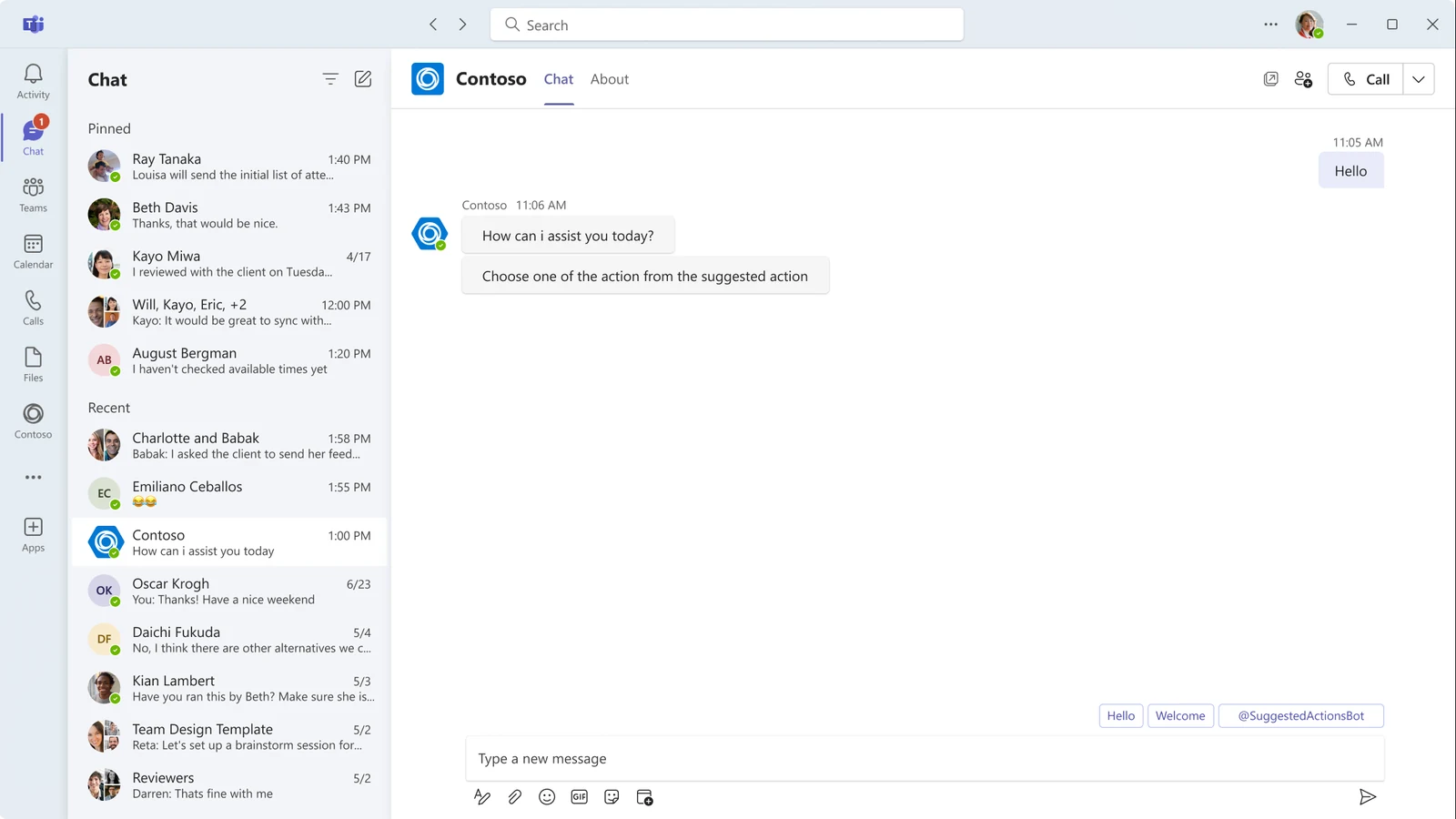
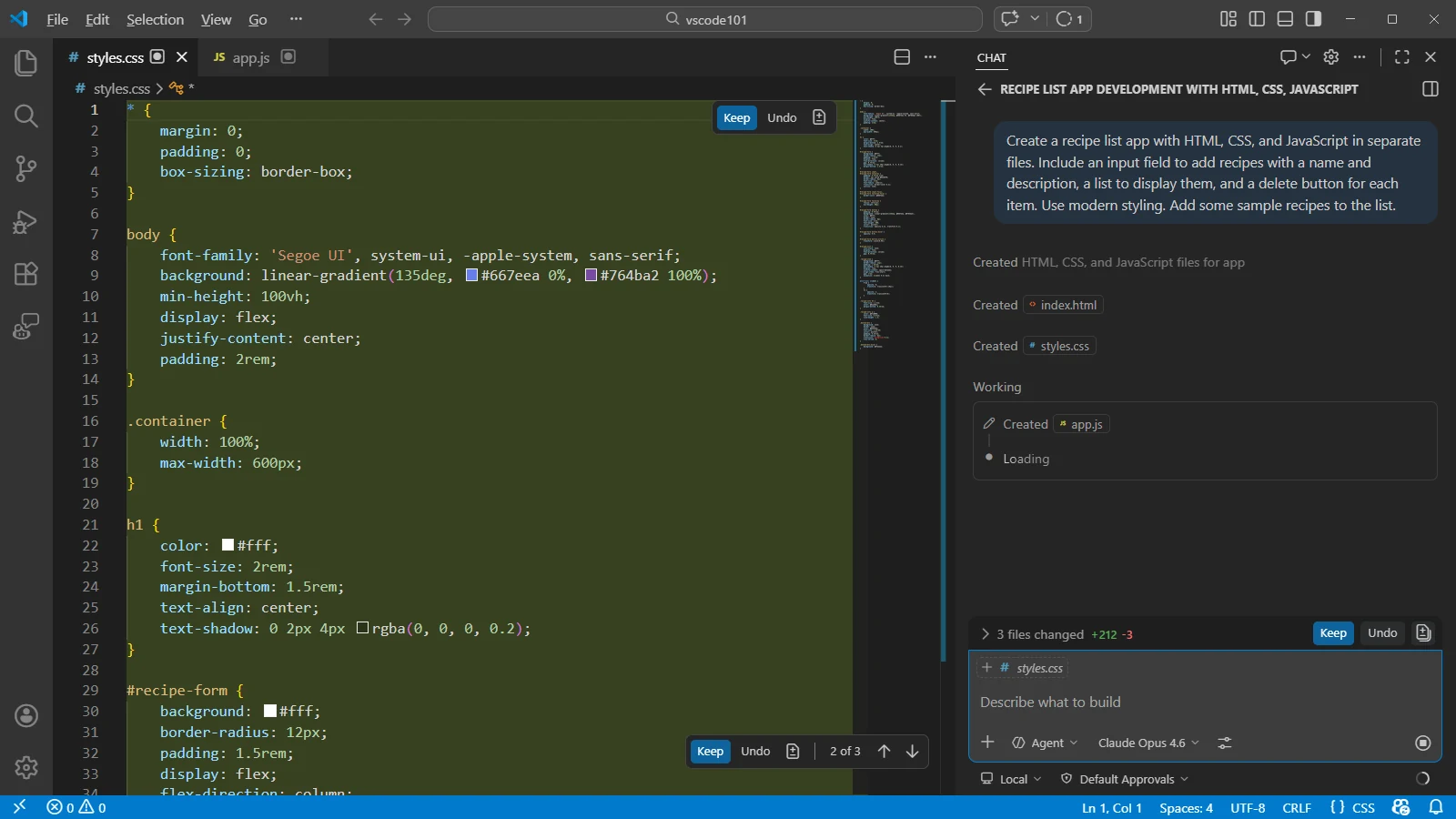
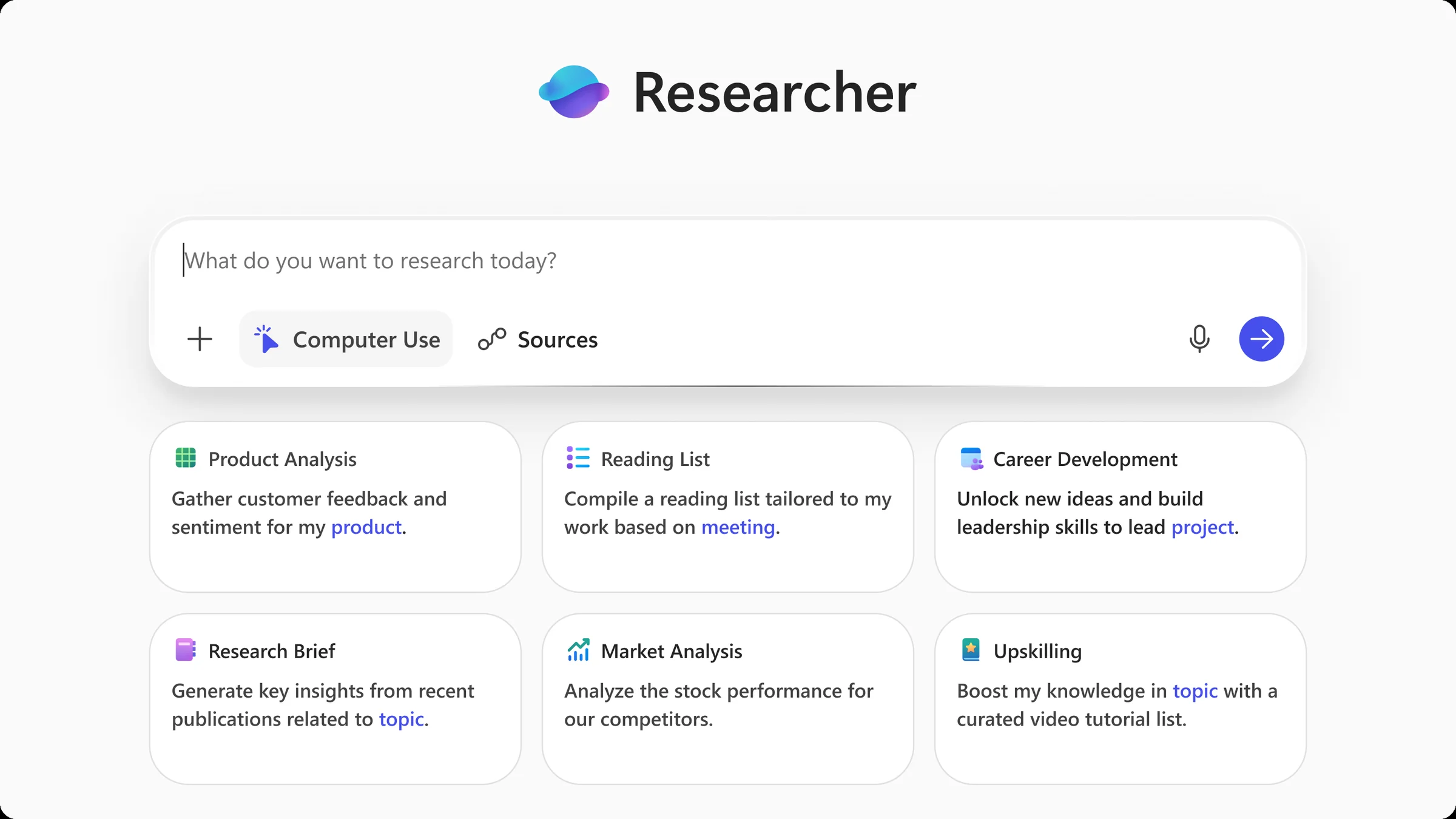
Microsoft 365 Copilot, Microsoft Teams and Visual Studio Code screenshots used with permission from Microsoft.
Demonstration: press the key and talk; the recorder listens, then the sentence appears at the cursor in Microsoft 365 Copilot, in Microsoft Teams, or in the Copilot agent prompt in Visual Studio Code.
Works with any app.
Keep your hands on your coffee. Not your keyboard.
 Outlook
 Gmail
Gmail Teams
Teams Slack
Slack WhatsApp
 Telegram
 Discord
 LinkedIn
 Chrome
 Notion
 Obsidian
 Jira
Jira VS Code
 Cursor
 Claude Code
 ChatGPT
And any other app: if you can type there, you can talk there.
AI enhancement. By app, or on demand. Your API key or AI server
The same dictation arrives as an email in Outlook, a chat message in Slack, Chinese in WeChat.
You said
hey sarah um the login page in ember lane is broken on mobile uh the button overlaps the footer can you fix it before um tomorrow’s demo thanks
Filler words removed. Names from your dictionary corrected.
Rewritten text
Hi Sarah, The login page in Emberlane is broken on mobile: the button overlaps the footer. Can you fix it before tomorrow’s demo? Thanks!
Customizable. Also on demand, by hotkey or trigger word.
Optional, with your own API key or your own AI server. Which cloud providers are supported?
Private by default.
By default, dictation runs on your PC. Recordings and history stay on your disk: there is no account, and no VoiceWink server ever holds them. Cloud features run only with your own API keys, and only with the providers you picked.
- Audio & history
- Local disk only
- API keys
- Encrypted by Windows
- Crash reports
- Opt-in · scrubbed
- Account
- None needed
- Goes online for
- License · updates · models
- Source
- Open source
Supports 100 languages.
 HalloDutch
 BonjourFrench
 HalloGerman
 HolaSpanish
 CiaoItalian
 OláPortuguese
 CześćPolish
 HejSwedish
 MerhabaTurkish
 こんにちはJapanese
 안녕하세요Korean
 你好Chinese
 नमस्तेHindi
 ПривітUkrainian
 مرحباArabic
 Γεια σουGreek
 Xin chàoVietnamese
 ПриветRussian
 HejDanish
 HeiNorwegian
 MoiFinnish
 AhojCzech
 SziaHungarian
 SalutRomanian
 ЗдравейBulgarian
 สวัสดีThai
 HaloIndonesian
 שלוםHebrew
 LabasLithuanian
 SveikiLatvian
 TereEstonian
 নমস্কারBengali
 HelloEnglish
Voice-to-image. Your API key
Describe the image you want. VoiceWink generates it and copies it to your clipboard.
“isometric 3D render of a tiny data center, soft pastels, for the blog”






Optional, with your own API key. Which cloud providers are supported?
A tour of the app.
Status at a glance.
Your recording state and last transcription.
Dark theme shown. A light theme is included.

Pay once. Keep it.
Download and try everything free for 7 days.
Coming from the app? Pick a tier below.
- Same features in every tier
- Updates free when released
- 30-day money-back guarantee
Personal
2 PCs · laptop and desktop
$39*/ lifetime
approx. €34*
Buy Personal · $392 active PCs at a time
Extended
3 PCs · work, home and one more
$49*/ lifetime
approx. €42*
Buy Extended · $493 active PCs at a time
* Prices in USD, VAT included, billed in USD at checkout. The euro figures are approximate and depend on your bank’s exchange rate.
Checkout by Lemon Squeezy. Your license key arrives by email; enter it in the app.
Included in every license
- Local AI transcription
- Cloud transcription*
- AI enhancement*
- Voice-to-image*
- App Mode & trigger words
- Dictionary & history
- Audio file transcription
- Push-to-talk & hands-free
* Cloud features: bring your own API key.
Optional cloud features.
Dictation works out of the box, without a key or an account. The optional cloud features use your own API key.
Several providers offer a free tier that is generous for dictation. Limits and options for additional usage vary by provider.
Switch between the two any time.
A balance of speed and accuracy for everyday dictation.
Models from small to large; pick one for languages Parakeet doesn’t cover.
On your own AI server, such as Ollama or LM Studio, or with a cloud key. Some providers have a free tier; the others are pay as you go.
Cloud providers: free tiers and pricesGroq, Deepgram, ElevenLabs, OpenAI · checked 15 September 2026
 Groq
GroqWhisper on the free tier; each dictation is one request. Current figures: their rate limits.
 Deepgram
No card, no expiry. The 700 hours are Deepgram’s own estimate on their Nova model, before add-on features. Rates: their pricing page.
 ElevenLabs
Scribe transcription. Current rates: their API pricing page.
OpenAIDepends on the model. Per-model prices: their pricing page.
These are the providers' offers, not ours; free tiers change, so confirm with each provider.
AI enhancement can use free tiers too. Some Groq chat models allow up to 1,000 requests a day on the free tier; limits vary by model.
Frequently asked questions.
Does it work offline?
Yes. Dictation works offline, and so does AI enhancement on your own AI server, such as Ollama or LM Studio. A paid license needs to reconnect at least once every 30 days for validation. Cloud transcription, voice-to-image and AI enhancement through a cloud provider need an internet connection.
Where does my data live?
All of it sits under %LOCALAPPDATA%\VoiceWink, on your machine. Uninstalling leaves it there. You can erase it any time from inside the app, or delete the folder yourself.
What are the requirements?
Windows 11, including ARM64 PCs through x64 emulation. No GPU required; GPU acceleration is available on supported hardware. Local models are 44 MB to 0.9 GB downloads; the largest use up to about 2 GB of memory while running. The installer includes the .NET runtime.
Do I need admin rights to install?
No. VoiceWink installs for your Windows user account, without admin rights. Work computers may still restrict which apps you can install.
Does it work with coding agents like Claude Code?
Yes. The text lands wherever your cursor is. If you can type into it, you can talk into it.
Do I need an API key?
No. Local dictation needs no API key or account. You can download local models during setup, or any time later from the Models page. API keys are only for the optional cloud features: cloud transcription, AI enhancement and voice-to-image. Each provider has its own key, and you add only the ones you use. AI enhancement can also use your own AI server instead, such as Ollama or LM Studio, which needs a key only if the server asks for one.
Is there a free trial? What about refunds?
7-day full-featured trial. It starts inside the app the first time you run it. No key, no email, no credit card. After purchase, every tier has a 30-day money-back guarantee.
What happens when the trial ends?
Dictation pauses until you enter a license key. Nothing is deleted: your history, dictionary and settings are all there when you return.
Other questionsAccuracy, languages, the hotkey, cloud providers, moving a license and more
Getting started
What about Windows 10, macOS, or Linux?
Windows 11 only, at the moment. On a Mac, look at VoiceInk, the macOS app VoiceWink is inspired by.
Is the installer safe to run?
The installer is signed by DV Studio through Microsoft Trusted Signing. VoiceWink includes automatic updates.
Is the Microsoft Store version different?
No. The Microsoft Store runs the same installer, so you get the same app, the same 7-day trial and the same automatic updates. Either way, you buy the license on this site and enter it in the app.
Dictation
Can I change the hotkey?
Yes. Pick it during setup, or change it any time under Hotkeys in Settings.
Which local engine should I pick?
Parakeet, unless you need a language it doesn’t cover. Then switch to a Whisper model. If you pick a language your model can’t handle, the app says so and suggests one that can.
How much faster is dictation than typing?
The 4× figure is based on typing at around 40 words a minute, which is typical. If you type faster than that, the gain is smaller.
How accurate is the transcription?
Very good, not perfect. Names and jargon can be added to the dictionary for better results. Accuracy depends on the model, and newer models keep getting better. Always check the text before sending anything important.
Does it work in other languages?
Yes. 100 languages via the local Whisper engine (pin one or auto-detect); the faster Parakeet engine covers 25 European languages.
Does it paste or type?
It pastes (Ctrl+V), which is faster and more compatible than simulated typing. VoiceWink pastes into apps that accept pasted text. Some restricted or administrator-run apps may require you to paste manually.
Cloud & keys
Can I write my own AI prompts?
Yes. You can edit every enhancement prompt and add your own. In App Mode, you choose which enhancement each app uses automatically.
Which cloud providers are supported?
- Cloud transcriptionOpenAI, Groq, Deepgram and ElevenLabs.
- AI enhancementAnthropic, OpenAI, Gemini, Groq, Mistral, OpenRouter and Cerebras.
- Voice-to-imageOpenAI, Gemini and OpenRouter.
Each one uses your own key, and local dictation needs none of them.
Can I use my own AI server?
Yes, for AI enhancement. On the AI Enhancement page, pick Local server as the provider, choose Ollama or OpenAI-compatible (LM Studio and others), and enter the server's address. Your text then goes to that server instead of a cloud provider. A key is only needed if the server asks for one.
How do I get an API key?
Create a free account with the provider you like and copy the key from their console: OpenAI · Groq · Deepgram · ElevenLabs · Anthropic · Gemini · Mistral · OpenRouter · Cerebras. Then enter it in VoiceWink once. Some providers include a free tier, some do not. Their own pricing pages have the current details.
How does bring-your-own-key work?
Your API key is entered once and encrypted by Windows (DPAPI). Requests go straight to the provider; your account, no middleman. The provider bills you at its own prices.
Buying
How does the 30-day money-back guarantee work?
Email support@dvstudio.app within 30 days of purchase with your order number or the email you used at checkout. No reason needed. The refund goes back to your original payment method via Lemon Squeezy, and your license key is deactivated.
Can I move my license to a new PC?
Yes. Deactivate the old machine in the app, then activate the new one. Tiers count active PCs, not lifetime installs. If the old PC is dead or wiped, support can free the slot.
Why GPL v3? What am I paying for?
The full source is available under GPL v3. VoiceWink is a derivative of VoiceInk. Paying gets you signed builds and automatic updates. You can compile it yourself for free.
More questions? support@dvstudio.app
Start typing at the speed of speech.
Try free for 7 days. No credit card needed.

Windows 11 · x64 & arm64
The Microsoft Store installs the same app, with the same trial and updates. The license is bought on this site either way.